In-Store Digital Signage
Design Once.
Deploy to Every Screen.
The visual builder for in-store digital signage, interactive kiosks, and AI-avatar retail media. Drag together screen experiences, push them to your device fleet, and know exactly what's working — all without writing a line of code.
Trusted by leading European retailers





Create
Build Experiences by Dragging, Not Coding
Connect screens into flows, add branching logic, and let AI generate your avatar videos. Skip the production team.
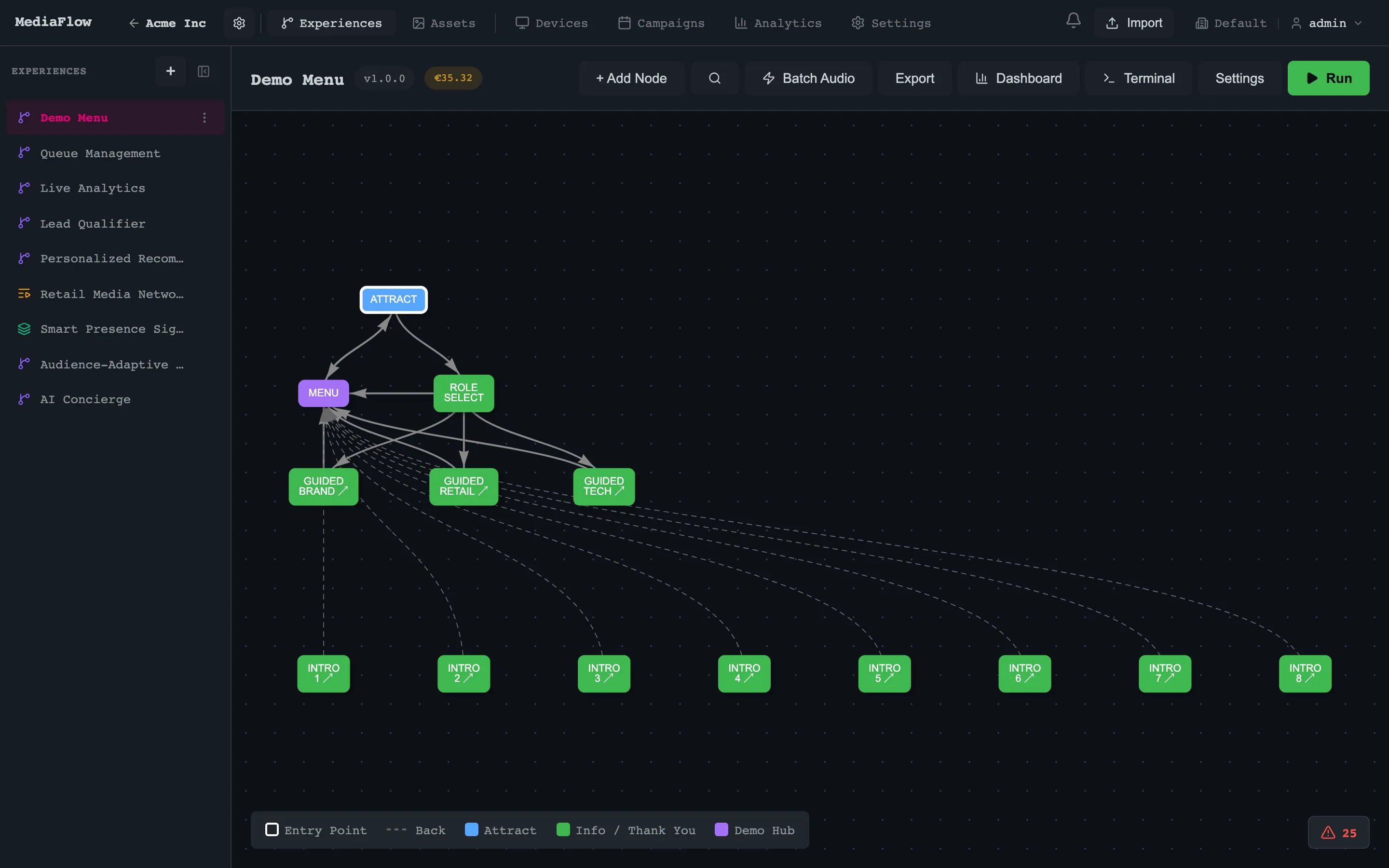
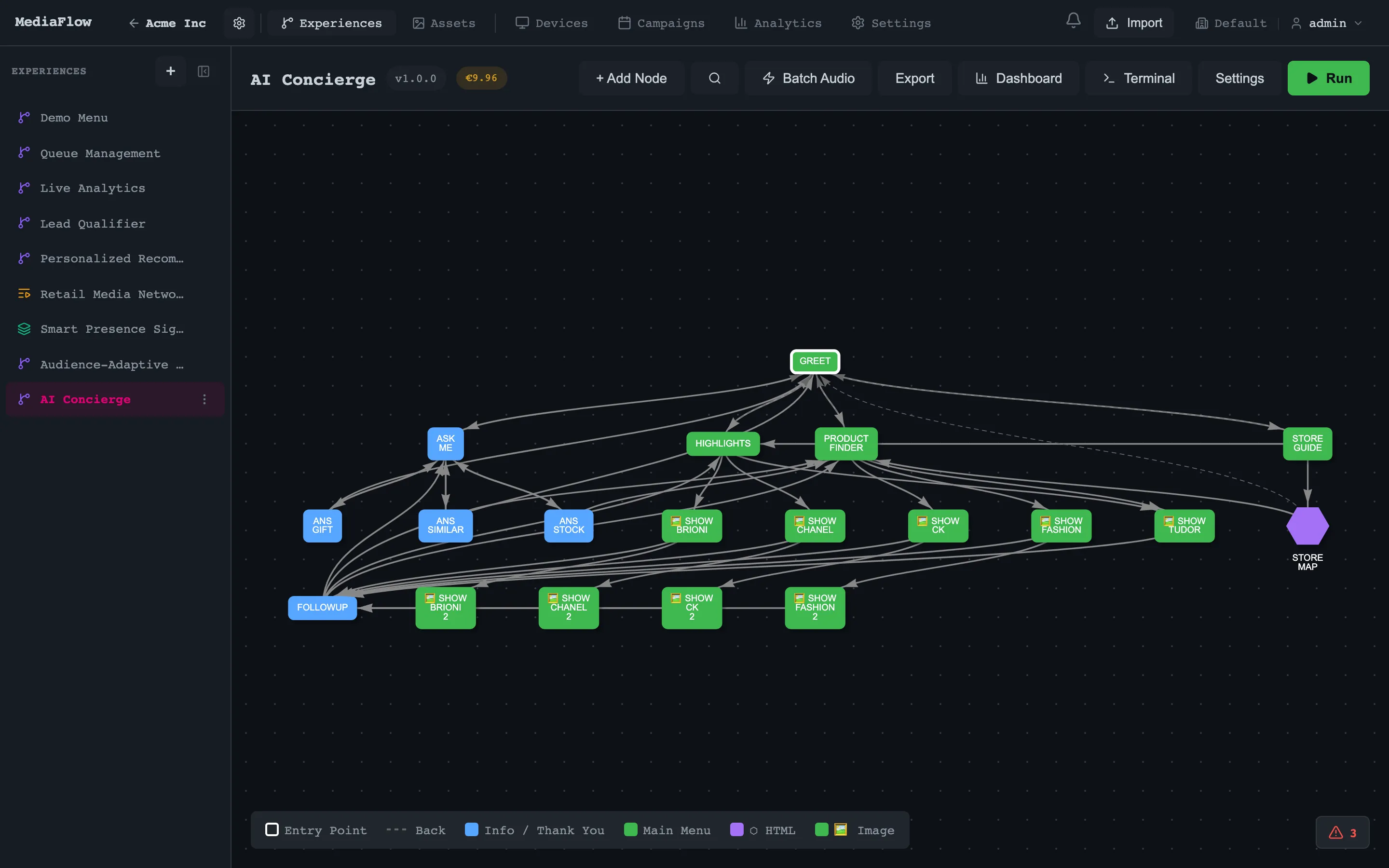
Visual Flow Editor
A drag-drop graph where each node is a screen. Connect them into dialogues, branching paths, or linear sequences. Color-coded by type so you see the structure at a glance.
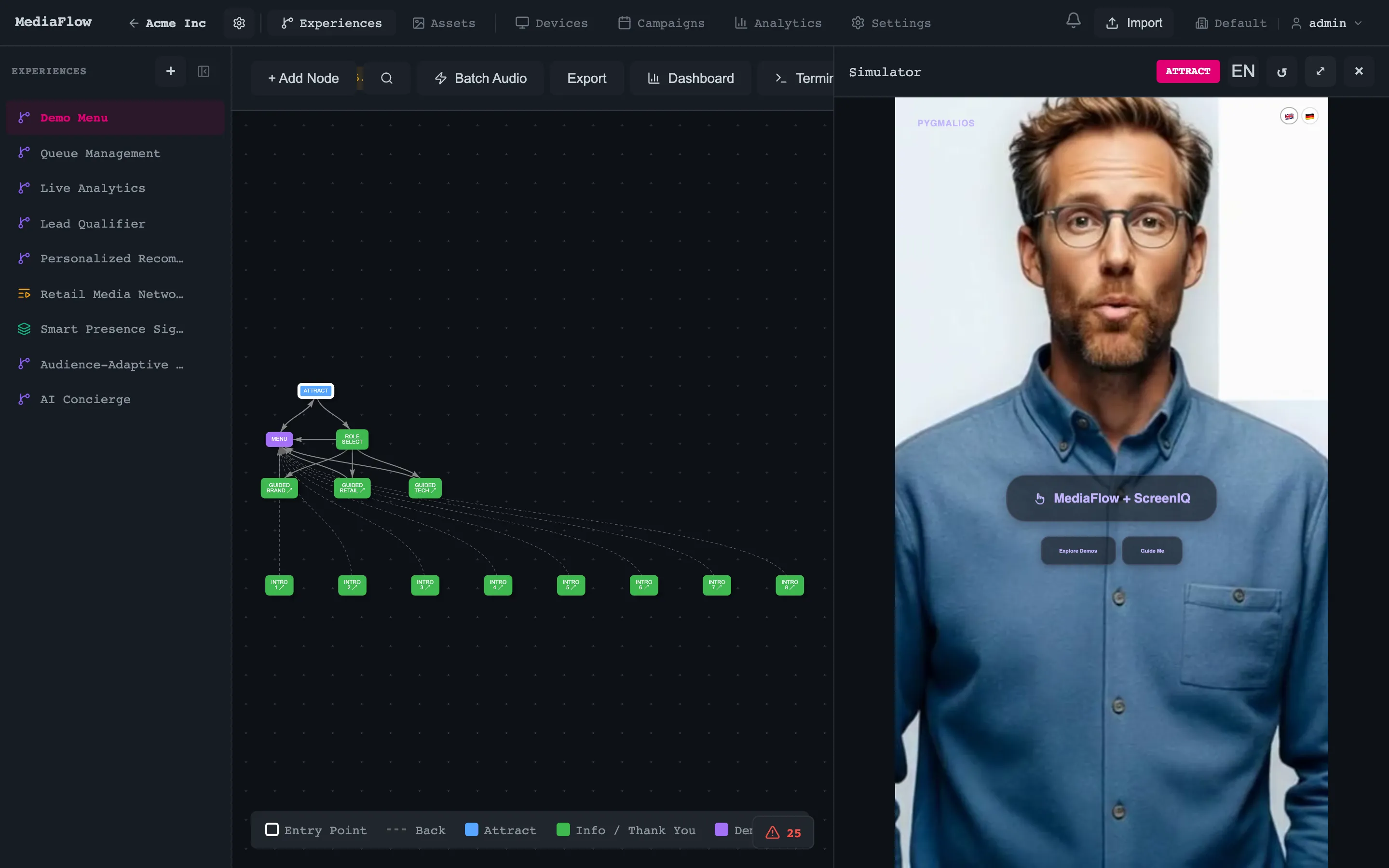
AI Avatar Videos
Write your script, pick an avatar. MediaFlow generates lipsync video automatically — in Slovak, English, German, or any of 29 languages.
16+ Ready-Made Templates
Hero screens, quiz flows, lead capture forms, menu grids, video players. Pick a layout, drop in your content, ship it.
Deploy
Manage Screens at Any Scale
From a single kiosk to a thousand-device network. Schedule campaigns, target audiences, and monitor everything in real time.
Device Fleet Management
Register physical screens anywhere — a kiosk in Bratislava, a display wall in Dubai. Group by location, tag by purpose, track heartbeats in real time.
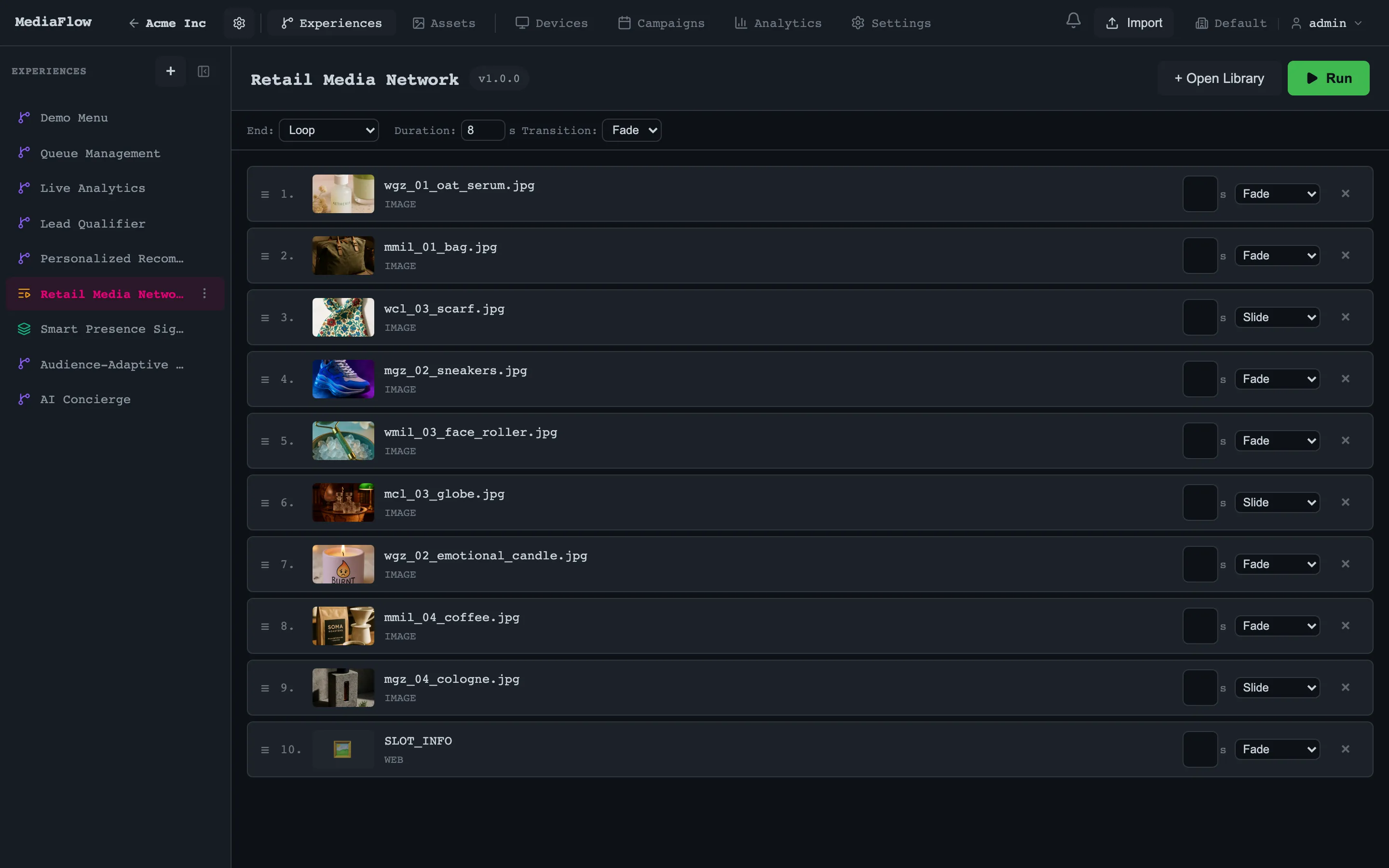
Campaign Scheduling
Three layers: always-on defaults, recurring playlists, and priority campaigns that override everything. Timezone-aware. A/B test variants against each other.
Approval Workflows
Submit, review, approve. Editors propose content; admins green-light it. Nobody publishes to 500 screens by accident.
Measure
Prove What Works
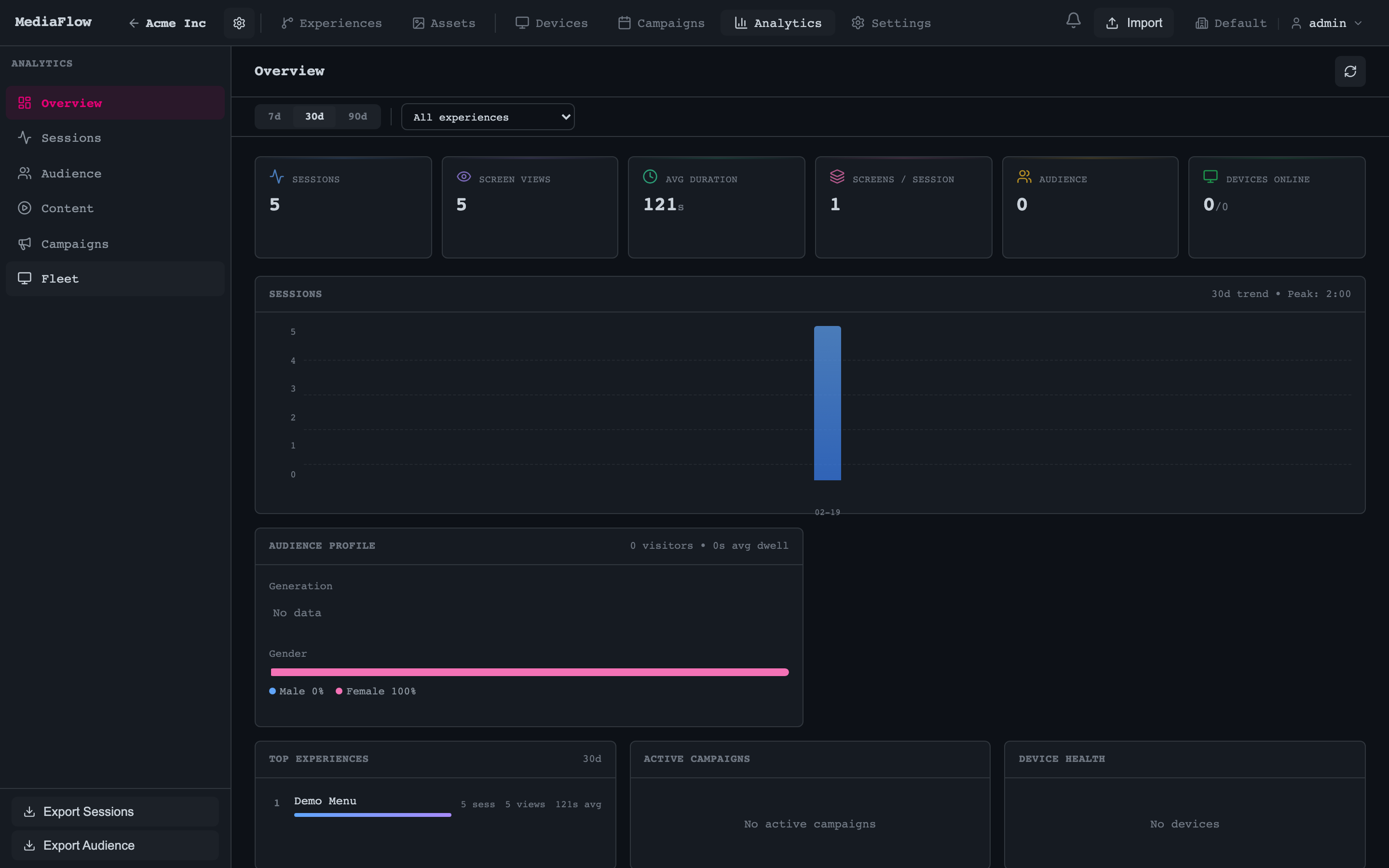
Session tracking, heatmaps, and conversion analytics give you proof — not guesses — about what engages your audience.
Session Analytics
Every visitor leaves a trail: screens viewed, dwell time per node, exact drop-off point. You'll see the journey, not just the outcome.
Campaign Performance
Variant A pulled 34% more engagement than B? You'll know. Win rates, session counts, and dwell comparisons — all in one view.
Export & Integrate
Pull data via CSV, stream it through SSE, or hit the API. Your BI tools, your dashboards, your way.
Use Cases
One Platform, Any Screen
Retail Kiosks
An AI avatar greets your customer, asks what they're looking for, and walks them through product recommendations. It works 24/7 and never calls in sick.
Trade Shows & Events
We ran 9 experiences at EuroShop 2026 on a single MediaFlow instance. Lead capture, product demos, wayfinding — all from one dashboard.
Digital Signage Networks
Schedule playlists across hundreds of screens. Rotate content by time, location, or audience segment. Track what gets watched.
Brand Experience Centers
Multi-screen installations where content syncs across displays, visitors navigate by touch, and every interaction feeds back to your analytics.
From Idea to Live Screen in Minutes
Design
Create your experience flow in the visual editor
Generate
AI creates avatar videos from your scripts
Preview
Test in the built-in simulator
Deploy
Push to your registered device fleet
Schedule
Set campaigns with targeting and timing
Measure
Track sessions, engagement, and conversions
FAQ
Common Questions About MediaFlow
What exactly is MediaFlow?
MediaFlow is a visual CMS for physical screens — kiosks, signage, interactive displays. You design screen experiences in a drag-drop editor, generate AI avatar videos, push content to device fleets, and track how people engage with it. Think of it as the control layer between your brand and every screen in your stores.
Do I need developers to create screen experiences?
No. The entire workflow — building flows, adding AI avatar videos, scheduling campaigns — happens in a visual editor. Your marketing team can ship a new experience in minutes. If you do want custom templates or API integrations, the developer tools are there, but they're optional.
How many screens can MediaFlow manage?
From one kiosk to thousands. At EuroShop 2026 we ran 9 parallel experiences on a single instance. Device registration, fleet grouping, and real-time heartbeat monitoring work the same whether you have 5 screens or 5,000.
What languages do the AI avatars support?
29 languages, including English, German, French, Slovak, Arabic, and Japanese. You write the script, pick an avatar, and MediaFlow generates a lipsync video automatically. Swapping languages for the same flow takes a few clicks — no re-recording, no voice actors.
Can I schedule different content for different times of day?
Yes. Campaigns run on three layers: always-on defaults, recurring playlists, and priority overrides. Each layer is timezone-aware. You could show a lunch menu at noon, switch to happy hour at 5 PM, and run a special promo on weekends — all configured from one dashboard.
How do I know if my screens are actually working?
Every visitor interaction gets tracked: screens viewed, dwell time per node, exact drop-off points. You'll see session-level analytics, campaign performance comparisons, and A/B test results. Data exports via CSV, SSE streaming, or API — so it plugs straight into whatever BI tools you already use.
Still have questions? Get in touch →
Proven in production

“Pygmalios enabled us to adopt the right approach towards effective workforce planning which mirrors the actual customer demand and substantially decreases waiting time in our stores.”

Milan Morávek
CCO, O2
Retail media briefing · PDF
Your store is an unpriced media asset
A five-page briefing for retail leadership on how in-store retail media gets measured and what a verified view is worth to advertisers.
Free PDF in English, 5 pages. One email with the briefing.
- European retail media is heading toward EUR 28.8 to 31 billion by 2028.
- Physical stores carry more than 80% of retail sales and received about 3% of US retail media spend outside Amazon (eMarketer, 2025).
- 53% of European retail media buyers name lack of standardization as a leading barrier (IAB Europe, 2025).
- A verified view needs presence, facing and dwell while the creative plays.
From Our Knowledge Hub
Recommended Reading

Department Store Digital Signage Content Testing 2026
Run A/B tests on in-store screens, close the attribution gap, and prove ROI with this department store digital signage content testing guide.
Read article →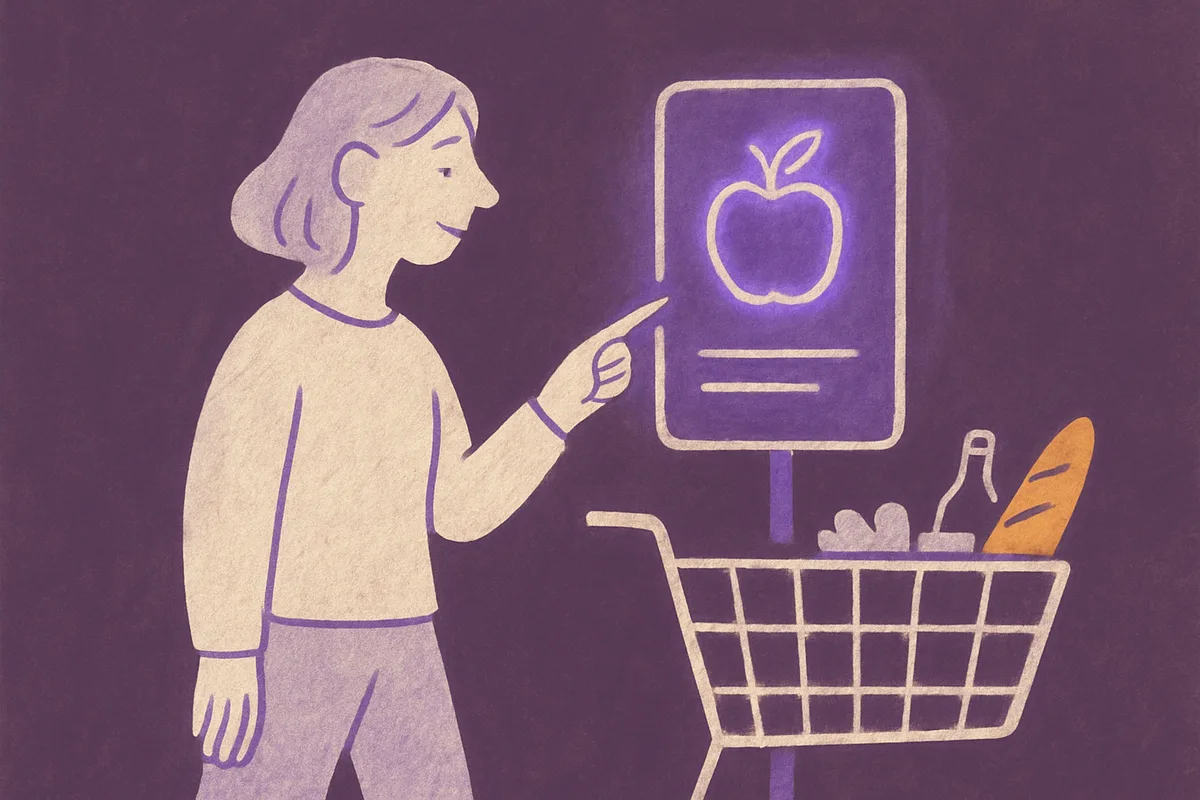
Best Digital Signage Solutions for Food Retail
Discover the best digital signage solutions for food retail. From dynamic pricing to drive-thru screens — proven strategies that boost ROI.
Read article →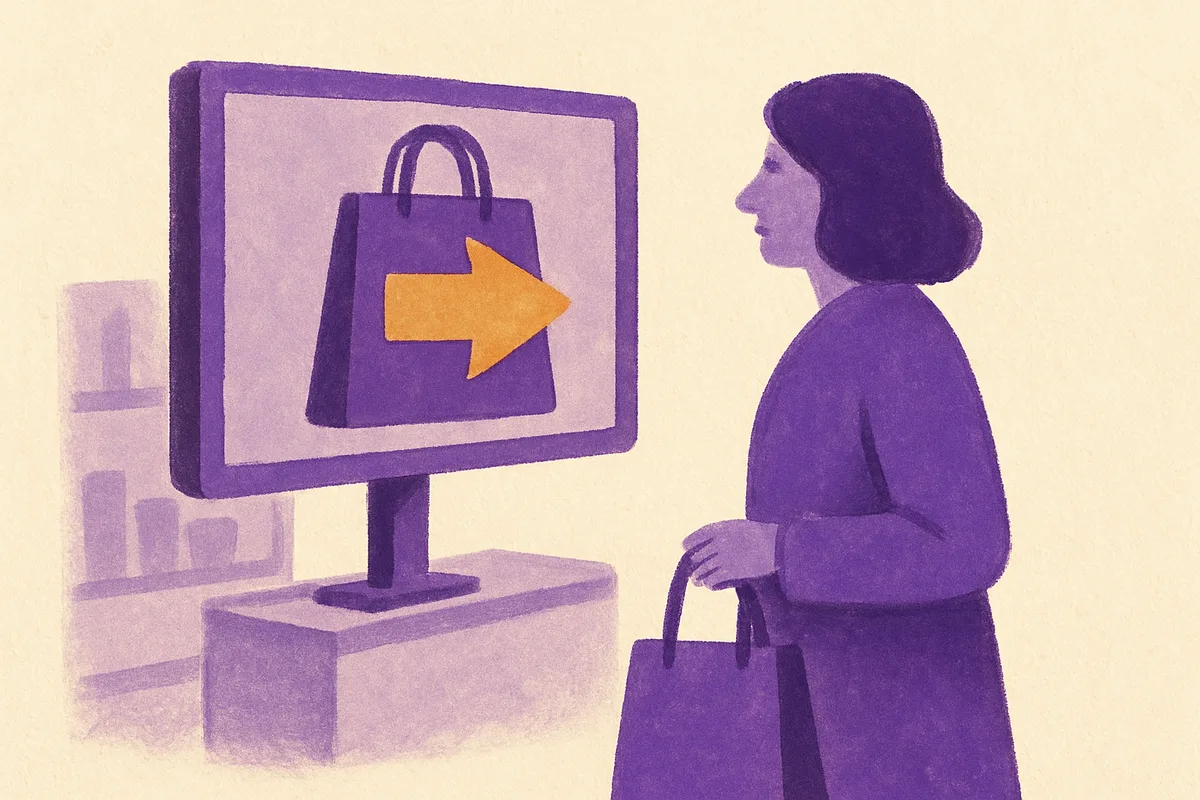
In-Store Retail Media Central Eastern Europe
In-store retail media central eastern europe is live now via pan-European chains. See how CEE retailers can skip loop-counts and go straight to verified-view.
Read article →The Engine for Your In-Store Retail Media
Let's talk about what MediaFlow looks like for your network.